
Section outline
-
-
Assignments
During your studies at NGI, you will be expected to complete assessments.
Some of these assessment might take the form of tests, presentations or submitted assessments.
All assessment submissions (like projects, essays or worksheets) must be uploaded to MyNGI.
MyNGI has been specifically customised to make submitting these assessments as easy, and hassle-free as possible.
All your assessment submission spaces will be housed within the module you are submitting for.
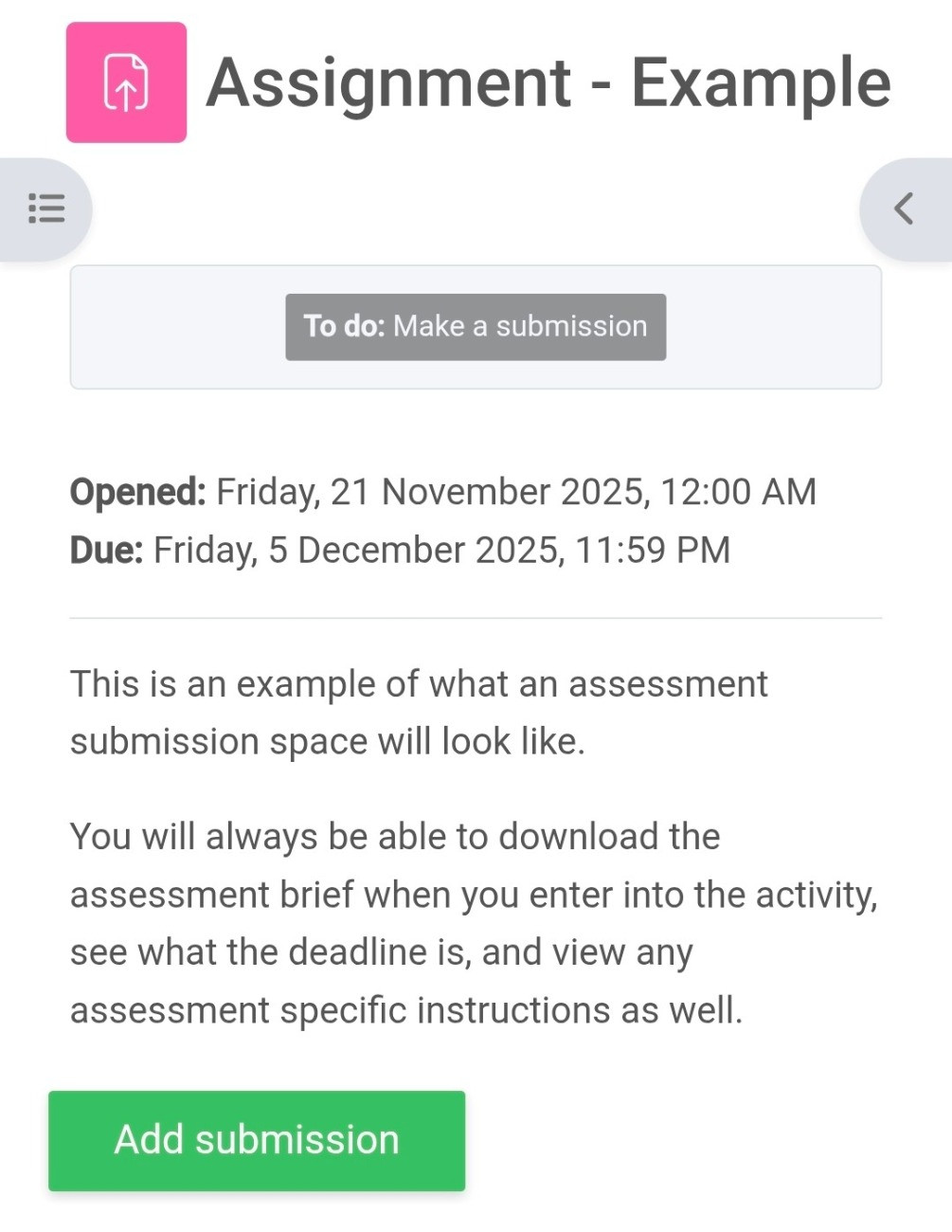
You will always be able to see the following assessment information when opening an assessment activity.
- The assessment brief
- The assessment due date
- The add submission button
Remember that you should always submit your assessments before the due date. MyNGI will always record the exact time and date of your submission electronically once you upload and submit it.
-
Adding a submission
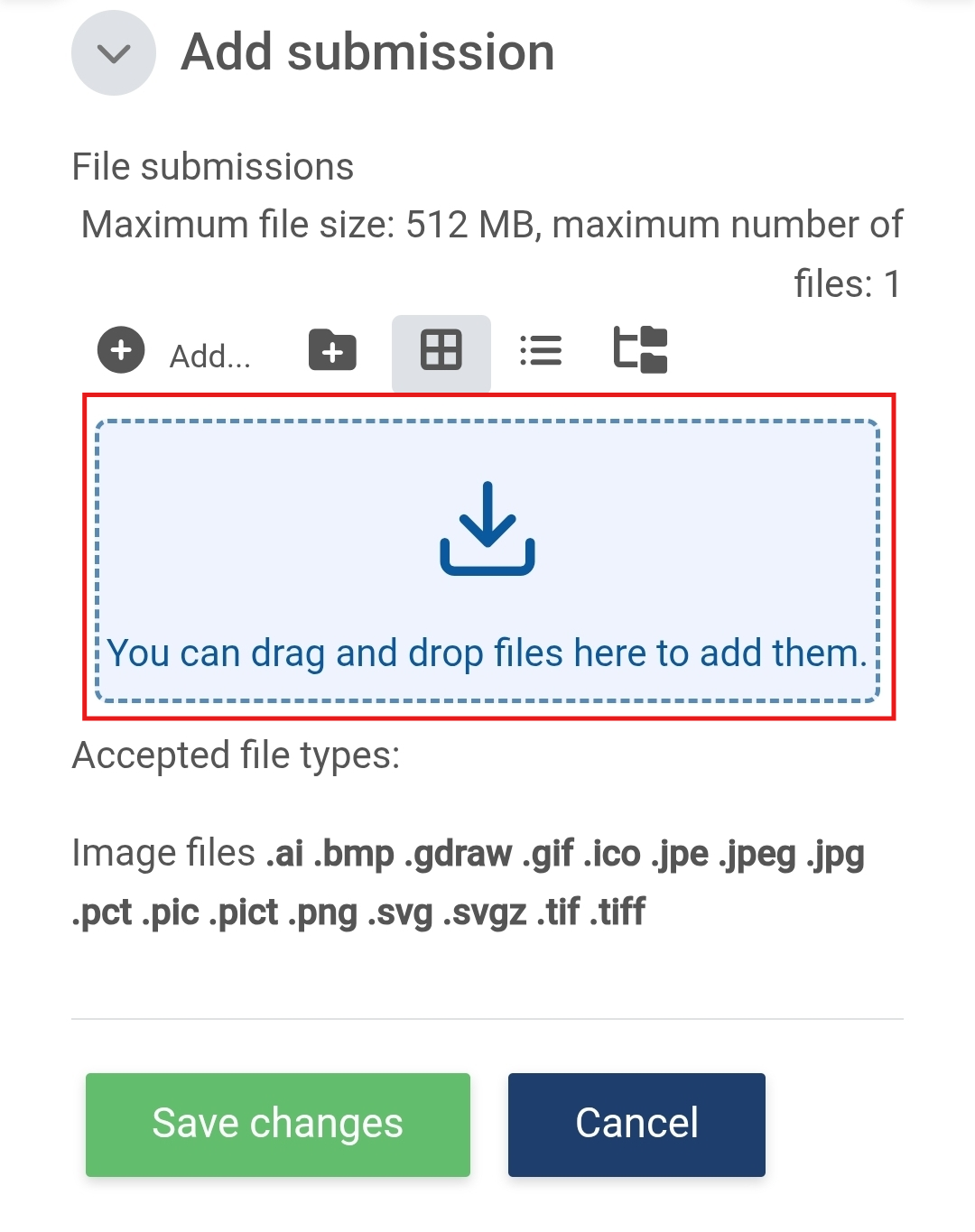
- Once you click the "Add submission" button, you will be prompted to upload a file to the system.
- Clicking on the upload box will open your file picker
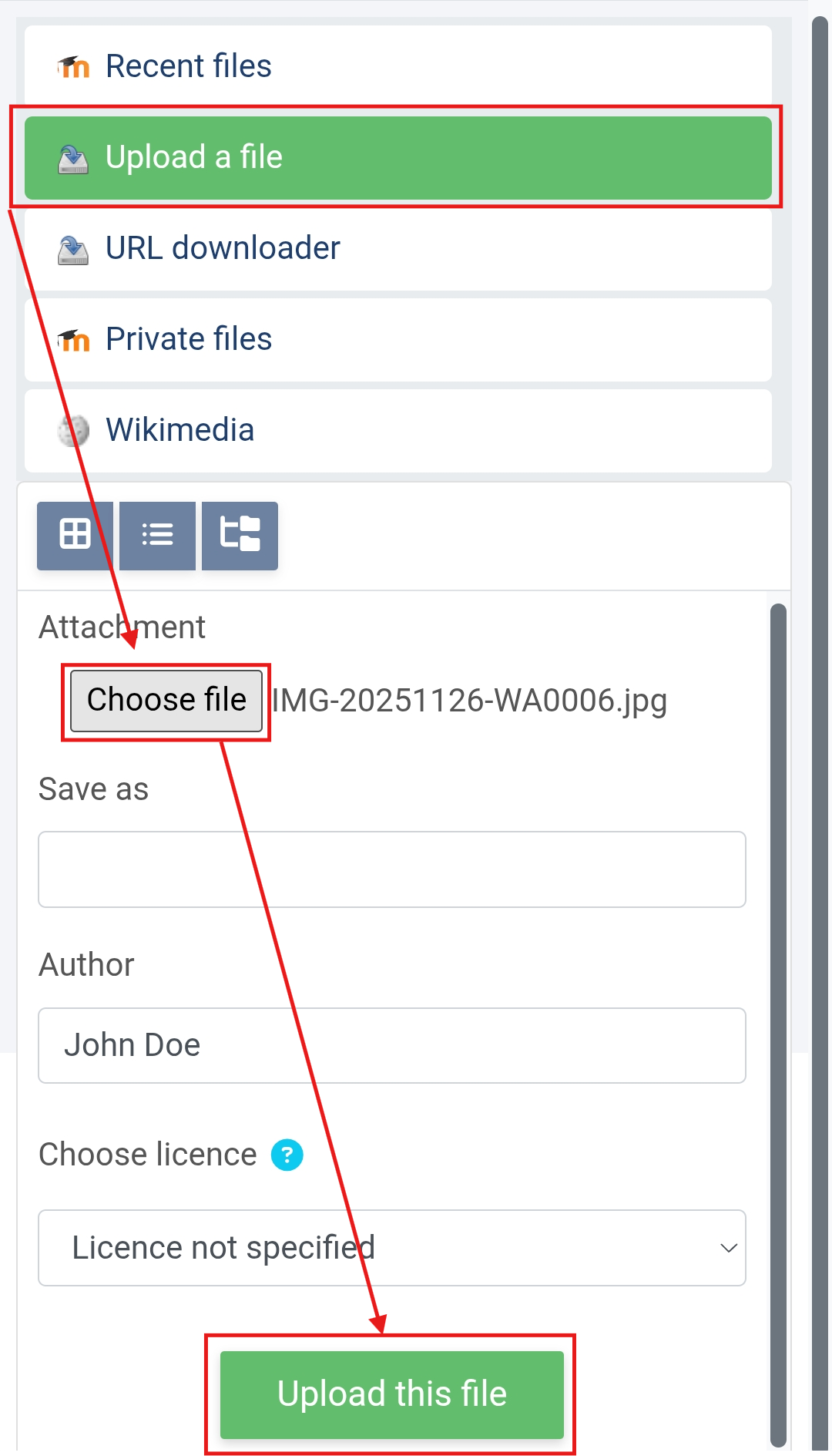
- Proceed to click on Upload a file
- Choose File
- Once you've located your assignment
- You can click "Upload this file"
- To finish off your submission, click on "Save changes"
-
Deadlines & Notifications
Knowing what is due and by when is crucial information.
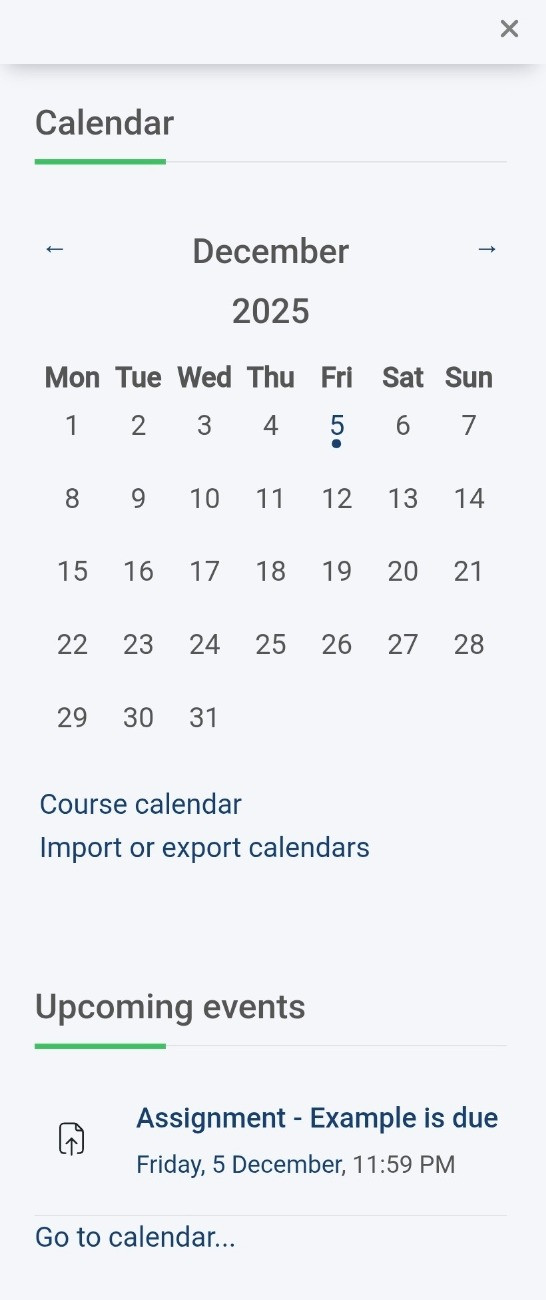
You can always stay on top of things by opening the rightmost collapsible box in MyNGI.
This box will collect all your events and assessment deadlines into a single calendar that displays your:
- Virtual Class times
- Assessment deadlines
- Quiz deadlines
- Important institutional dates like test weeks.
Long pressing on a specific date where a dot appears under it, will provide you with a pop up showing exactly what events are occurring on that specific date. You can also click on any specific date to open a window with a detailed view of all events occurring on that date.
For a closer view of what is due in the next 2 weeks, the Upcoming Events section will display items with due dates. You can click on these to navigate and jump directly to them should you be ready to submit.
MyNGI will also periodically send you reminders via email of upcoming events and specific deadlines.
-
Opened: Friday, 21 November 2025, 12:00 AMDue: Friday, 5 December 2025, 11:59 PMStudents mustMake a submission
Try to submit an example assignment into this provided submission space.
This is an example of what an assessment submission space will look like.
You will always be able to download the assessment brief when you enter into the activity, see what the deadline is, and view any assessment specific instructions as well.
-
Quizzes
Another type of assessment you will encounter are quizzes.
These are embedded into MyNGI and require you to be online, with an active internet connection to complete them.
You will encounter many types of quiz types, ranging from:
- Normal multiple choice
- Short answer questions
- Numeric-based questions (where applicable)
- Drag and drop
- Match A to B
All of these quiz types must be completed in sequence once you click "attempt quiz"
Not all quizzes will close after you've completed the questions; sometimes you will be able to re-attempt them to gain a higher score.
-
Students mustViewReceive a grade
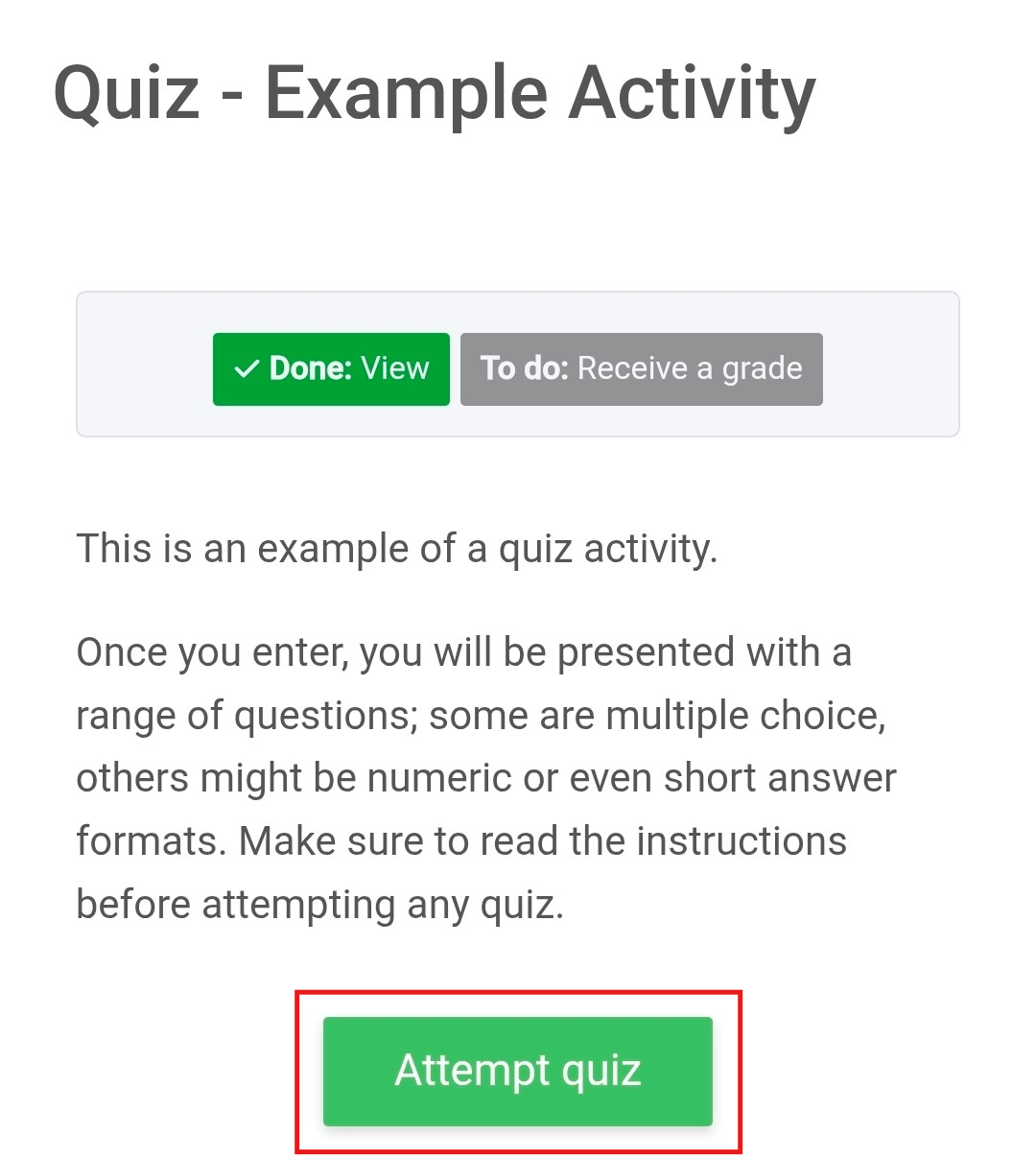
This is an example of a quiz activity.
Once you enter, you will be presented with a range of questions; some are multiple choice, others might be numeric or even short answer formats. Make sure to read the instructions before attempting any quiz.
-